
Hosted by site sponsor WebMate.
Apple Silicon Mac mini Q&A
Update Published November 22, 2026
All Mac Q&As >> Colorful Apple Silicon iMac Q&A (Home)
To be notified of new Q&As, sign up for EveryMac.com's bimonthly or so email list.
What type of RAM does the Apple Silicon iMac use? Can it be upgraded?
All Apple Silicon iMac models have "unified" RAM onboard that is integrated with the processor (SoC).
The RAM in the Apple Silicon iMac cannot be upgraded after the initial computer purchase, but all models can, or could, be custom configured upfront with more RAM than its default configuration.
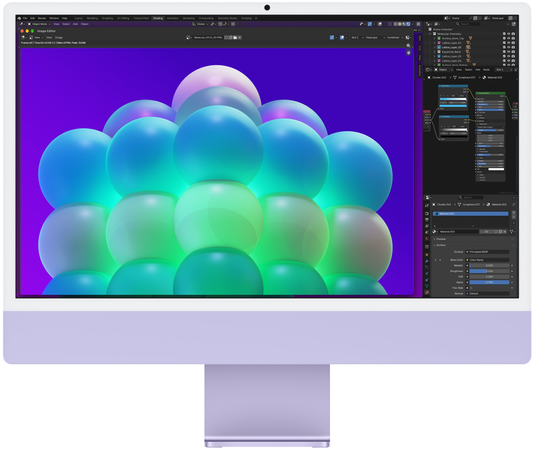
Photo Credit: Apple, Inc. (Apple Silicon iMac - Purple)
Specifically, the standard RAM for each Apple Silicon iMac model and the maximum RAM available via custom configuration for that model follow:
To reiterate, no Apple Silicon iMac models have RAM that can be upgraded after the initial purchase of the computer.
If you're not sure which iMac you have -- or otherwise are trying to confirm how much RAM a particular iMac has before making a purchase, especially on the used market -- EveryMac.com's Ultimate Mac Lookup feature makes it easy to precisely identify each iMac by Model Number and Order Number and by other identifiers, too. Mac Identification may be helpful, as well.
<< Apple Silicon iMac Q&A (Main) | Apple Silicon iMac Specs
Established in 1996, EveryMac.com has been created by experts with decades of experience with Apple hardware. EveryMac.com includes, and always has included, original research incorporating detailed, hands-on inspection of packaging, computers, and devices as well as extensive real-world use. All information is provided in good faith, but no website or person is perfect. Accordingly, EveryMac.com is provided "as is" without warranty of any kind whatsoever. EveryMac.com, and the authors thereof, shall not be held responsible or liable, under any circumstances, for any damages resulting from the use or inability to use the information within. For complete disclaimer and copyright information please read and understand the Terms of Use and the Privacy Policy before using EveryMac.com. Copying, scraping, or use of any content without expressed permission is not allowed. Links to any page are welcomed and appreciated.