
Hosted by site sponsor WebMate.
MacBook Pro PROLED XDR Q&A
Update Published November 24, 2026
All Mac Q&As >> MacBook Pro PROLED XDR Q&A (Home)
To be notified of new Q&As, sign up for EveryMac.com's bimonthly or so email list.
What version of macOS is pre-installed on the MacBook Pro PROLED XDR? What is the newest version of the macOS supported by each model?
Initially, all MacBook Pro PROLED XDR models ship with the same version of the macOS.
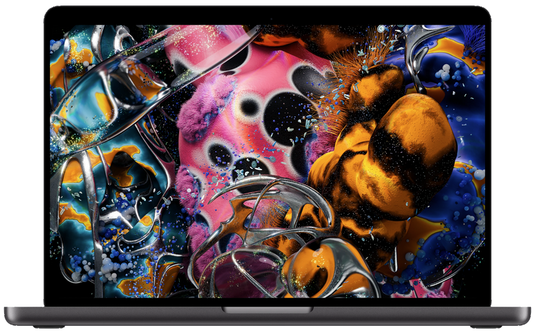
Photo Credit: Apple, Inc. (MacBook Pro PROLED XDR)
Specifically, the pre-installed macOS version and the newest supported macOS version for each MacBook Pro PROLED XDR are:
If you're not sure which MacBook Pro you have -- or otherwise are trying to confirm macOS compatibility before buying a specific notebook, especially on the used market -- EveryMac.com's Ultimate Mac Lookup feature makes it easy to precisely identify each MacBook Pro by Model Number and Order Number and by other identifiers, too. Mac Identification may be helpful, as well.
EveryMac.com maintains a separate list of Macs compatible with the current macOS, regardless of series, that also may be of interest.
How do you transfer data from an older Mac to an MacBook Pro PROLED XDR?
Just as Apple explains for other recent Macs, the company notes that you can transfer data from your older Mac to a new MacBook Pro PROLED XDR using the "Migration Assistant" application:
- Connect both Macs to the same Wi-Fi network, which is most easiest, but may take hours depending on the amount of data to transfer and the speed of the network connection.
- Connect a Time Machine backup of your older Mac stored on an external USB-C/Thunderbolt hard drive to your new MacBook Pro PROLED XDR.
Apple's support site provides specific instructions that should be reviewed before attempting to transfer data.
As a precaution, EveryMac.com also strongly suggests that you create an extra backup of your older Mac before attempting to transfer any data between Macs.
How do you restore the operating system on the MacBook Pro PROLED XDR?
Apple does not include a physical restoration method for the MacBook Pro PROLED XDR.
Instead of including a recovery operating system on optical media or a USB stick, the macOS on these Macs is equipped with a built-in "macOS Recovery" function.
To access macOS Recovery, simply boot your Mac and continue to press and hold the power button. Momentarily, a window with startup options will appear. Click the "Gear Icon" listed as "Options" then select Continue to start the recovery process.
More details about "macOS Recovery" are available on the Apple Support Site.
Can the MacBook Pro PROLED XDR run iPad apps?
Yes, for the most part. MacBook Pro PROLED XDR models do not boot the iOS or iPadOS, but all models run versions of the macOS that can run apps written for the iPhone and iPad unmodified (unless the developer opts-out). Better developers may customize their apps to be a bit more "Mac like" as well.
Can the MacBook Pro PROLED XDR run older macOS apps?
Yes, but only the initial MacBook Pro PROLED XDR models introduced in October 2026, and only when running a version of the originally installed operating system (macOS Golden Gate; macOS 27).
In addition to macOS apps created for Apple Silicon Macs, the majority of macOS apps that will run on late model Intel Macs also will run on the initial MacBook Pro PROLED XDR models courtesy of Apple's integrated "Rosetta 2" software environment.
Rosetta 2 is provided by macOS versions from macOS Monterey (macOS 12) to macOS Golden Gate (macOS 27).
Later versions of the macOS do not support Rosetta 2, and accordingly, MacBook Pro PROLED XDR models cannot open 64-bit Intel Mac apps if the computer is running a version of the macOS after macOS Golden Gate (macOS 27).
Can the MacBook Pro PROLED XDR run Windows?
MacBook Pro PROLED XDR models cannot boot into Windows directly. However, they are capable of running Windows using versions of Parallels Desktop and VMWare Fusion created specifically for Apple Silicon processors.
<< MacBook Pro PROLED XDR Q&A (Main) | Apple Silicon MacBook Pro Specs
Established in 1996, EveryMac.com has been created by experts with decades of experience with Apple hardware. EveryMac.com includes, and always has included, original research incorporating detailed, hands-on inspection of packaging, computers, and devices as well as extensive real-world use. All information is provided in good faith, but no website or person is perfect. Accordingly, EveryMac.com is provided "as is" without warranty of any kind whatsoever. EveryMac.com, and the authors thereof, shall not be held responsible or liable, under any circumstances, for any damages resulting from the use or inability to use the information within. For complete disclaimer and copyright information please read and understand the Terms of Use and the Privacy Policy before using EveryMac.com. Copying, scraping, or use of any content without expressed permission is not allowed. Links to any page are welcomed and appreciated.